
Appearance
Payment Processors
Connect LecturePanda to your existing payment processor to collect registration fees from participants.
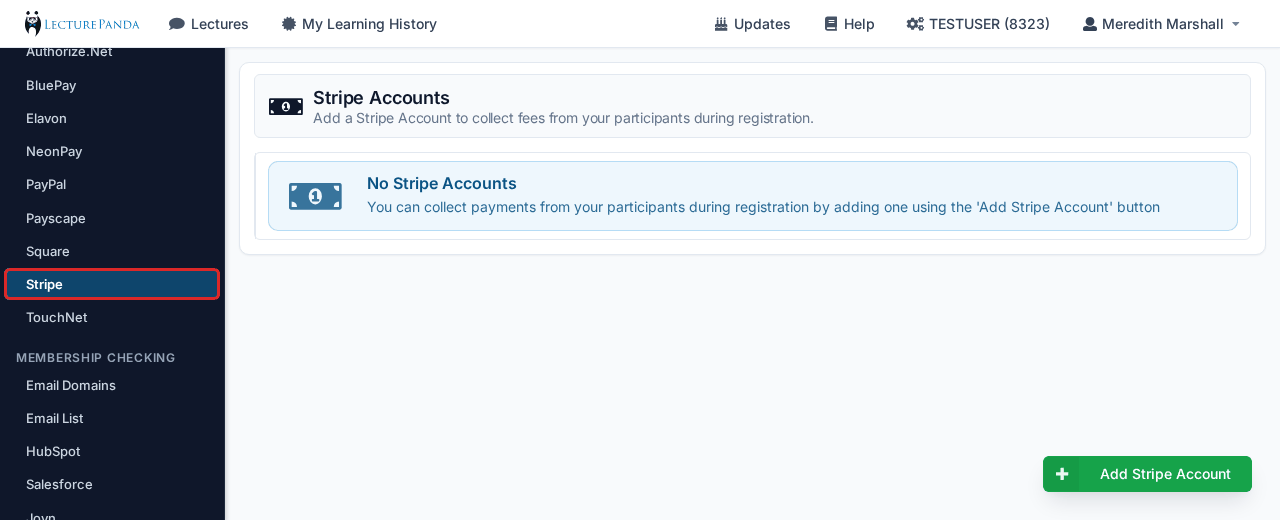
Supported Processors
LecturePanda integrates with the following payment processors:
- AffiniPay
- Authorize.Net
- BluePay
- Elavon
- Neon Pay
- PayPal
- Payscape
- Square
- Stripe
- TouchNet
If you already use one of these, you can connect it — there's no need to open a new account with a different processor.
Adding a Payment Processor
- Navigate to Organization Settings > Payment Processors.
- Select the processor you want to add.
- Connect it — how you do this depends on the processor (see below).
- Click Save.
Two kinds of connection
Sign-in (OAuth) processors — nothing to copy and paste. Stripe, Square, and AffiniPay connect by signing in to the processor itself and authorizing LecturePanda. You need the processor login, not API keys.
Square: click "Add Account"
Selecting Square from the list doesn't start the connection on its own — click the Add Account button in the bottom right, then sign in with your organization's Square login. Your organization needs its own Square account first; LecturePanda doesn't create one.
API credential processors. Others are connected by entering credentials from the processor:
- Neon Pay — Merchant ID and Public Key from Neon Pay support, plus the API Key and Org ID from the Neon CRM side. See the Neon guide for the full walkthrough.
- Authorize.Net — API Login ID and Transaction Key.
- TouchNet — uses a hosted payment page.
Who needs to be in the room
A sign-in connection has to be done by one person holding both your LecturePanda admin access and the processor login. When those sit with different people — common when a consultant builds the courses and a board member holds the banking relationship — the connection tends to stall. It's usually quickest to give the credential holder LecturePanda admin access rather than move processor credentials around.
LecturePanda never needs your payment processor password. Sign-in connections use tokens, so you can change your processor password later without breaking the connection.
Checking a connection still works
There's no test or sandbox mode — a payment processor connection can only be exercised by a real charge. That's fine when you're taking registrations weekly, but it leaves a gap for a processor connected purely to receive Marketplace sales, which can sit idle for months and look broken when it's simply dormant.
The practical check is Payment History under Reports & History. Its Source column names the gateway for direct sales and reads Marketplace for registrations that came through another organization's site. If Marketplace rows are appearing, the whole chain is working.
The only true end-to-end test is to buy one of your own Marketplace courses from the site of an organization selling it, then refund the charge in your processor afterwards. That's a live transaction, not a simulation — there's no way to fake the buying half, because it happens on the other organization's site.
A connection that's been idle a long time
If a processor hasn't taken a payment in months and you'd rather not test with a real card, contact support — we can confirm from our side that the connection is still live and pointed at the right account.
Fees and where the money goes
- Registration payments go directly into your own processor account. LecturePanda never holds the funds and takes no cut.
- Your processor's own transaction fees apply. If you want to cover those, build them into your registration price.
- An organization can connect more than one processor, so separate programs or partner organizations don't collide.
See Registration Payments & Receipts for the full flow, receipts, and refunds.
TIP
Switching processors later? The Batch Updates tool repoints every existing pricing rule at your new gateway in one pass, so a migration doesn't mean editing courses one by one.