
Appearance
Webinar Integration
Connect your webinar platform to LecturePanda for seamless registration sync and attendance tracking.
LecturePanda does not include a built-in video conferencing system. You will use an external webinar service for live events.
Integrated Platforms
LecturePanda has native integrations with:
- Zoom — Full integration for both Meetings and Webinars
- GoToMeeting — Full integration for webinars
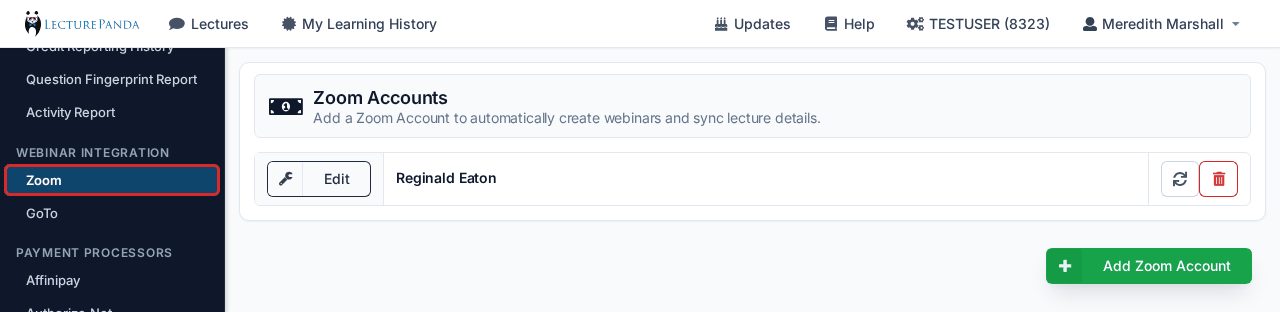
Use the green "+ Add Account" button to connect your account. Admins can then define which information will be passed from LecturePanda to the meeting/webinar service.
INFO
Each lecture attaches its webinar from the Webinar panel on its Details tab — or, in the course builder, in the Event section of a module's settings page (see Course Modules). Only a Live or Mixed module has an Event section; a Home study module has no webinar. You can link a webinar you have already scheduled in the service, or have LecturePanda create one from the lecture's saved details.
Zoom Meetings vs. Zoom Webinars
Both Zoom Meetings and Webinars integrate with LecturePanda, but they serve different purposes:
Zoom Meeting
Best for interactive sessions and small to medium groups (under 100). All participants can unmute, share video, and see each other. Ideal for workshops and training formats.
Zoom Webinar
Best for large presentations (100+ attendees). Attendees are in "listen-only" mode with only hosts and panelists visible. Includes Q&A management features. Requires a separate Zoom Webinar license.
Using Other Webinar Services
You can use any webinar platform by manually adding the meeting link to your lecture's Details tab (in the course builder: the Webinar Link field in the Event section of the module's settings page). This works with Microsoft Teams, Webex, Google Meet, and any other service that provides a joinable link — however, automatic registration sync and attendance tracking are only available with Zoom and GoToMeeting.