
Appearance
Batch Updates
Create global changes across all LecturePanda lectures.
Batch updates change existing courses in bulk. They're built for the moment you switch a provider and would otherwise have to edit every pricing rule by hand.
Most useful once you're up and running
These tools act on pricing rules you've already built, so they come into their own when you switch a provider later. If you're setting up for the first time, you can skip straight past this page.
Update Payment Gateways
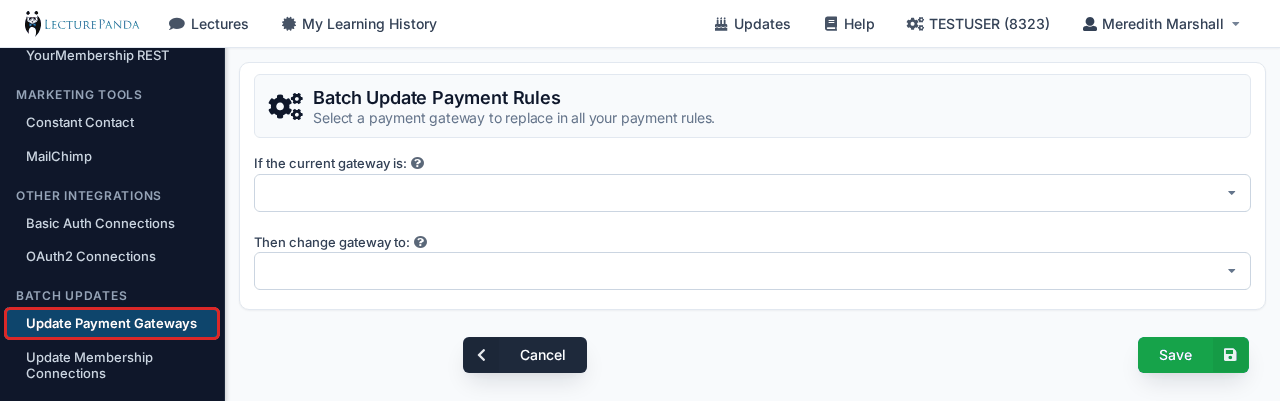
Repoint every pricing rule across all your courses at a different payment gateway. Run this after connecting your new processor in Payment Processors — for example when moving from BluePay to Authorize.Net, or to Neon Pay.
Connect the new processor first
The new gateway has to exist on your account before it can be selected here.
Update Membership Connections
Repoint every pricing rule that checks membership at a different membership list or CRM connection. Useful when you move to a new AMS, or replace an uploaded email list with a live membership check.
Both updates apply across all lectures at once and can't be undone in a single step, so it's worth spot-checking a couple of courses afterwards to confirm the result is what you expected.